Instagram's 24-Hour Messaging Window: How to Follow Up With Fans Who Comment on Your Release
When a fan comments on your Instagram post, Meta lets your account send that fan one private reply within 7 days of the comment. If the fan writes back, you have 24 hours from their latest message to keep the conversation going, and every new message from the fan restarts that clock. Once it runs out, standard messages can't go through until the fan writes again.
Those rules come from Meta's private replies documentation and its messaging API, and they apply to every tool that sends Instagram DMs for you. They matter most in release week, when one comment-to-DM post can start hundreds of conversations that each close on their own schedule. If your automated replies aren't sending at all, check whether Meta Business AI owns the conversation first, because that's a different problem with a different fix.
The clocks that control Instagram DMs
Each way a fan can reach you comes with its own window. The table below covers the ones that matter for a release campaign.
| What the fan does | What your account can send | For how long |
|---|---|---|
| Comments on your post, reel, story, or ad post | One private reply to that comment | Within 7 days of the comment |
| Comments during an Instagram Live | One private reply to that comment | Only while the broadcast is live |
| Replies to your private reply, or messages you directly | Standard messages, automated or written by hand | 24 hours from the fan's latest message |
| Messages you after tapping a Click-to-Direct ad | Standard messages | Up to 7 days from the fan's first message after the ad |
| Any message, when a person on your team replies by hand | A manual reply sent with Meta's Human Agent tag | Up to 7 days |
The 24-hour rule is in the Instagram messaging API documentation, which gives apps "24 hours to respond to any message sent from an Instagram user." The longer window for ad conversations arrived in Meta's September 28, 2026 changelog entry. The Human Agent tag is described in Meta's messaging policy overview as a way for businesses "to manually respond to user messages within a 7-day period," and the tool you use has to support it.
Why the private reply is the message that matters most
The private reply is the only message you can send a fan who hasn't written to you yet. Meta allows exactly one per comment, and sending it doesn't open the 24-hour window. The window opens when the fan responds. Meta's documentation is direct about it: follow-up messages "can only be sent if the recipient responds, and must be sent within 24 hours of the response."
That changes how you write it. A private reply has two jobs. It has to deliver what the fan asked for, in case they never answer, and it has to give them an easy reason to answer anyway.
How to run comment-to-DM follow-ups during release week
These steps work the same way whichever DM tool you use, because the limits come from Meta, not from the tool.
1. Put everything essential in the first reply
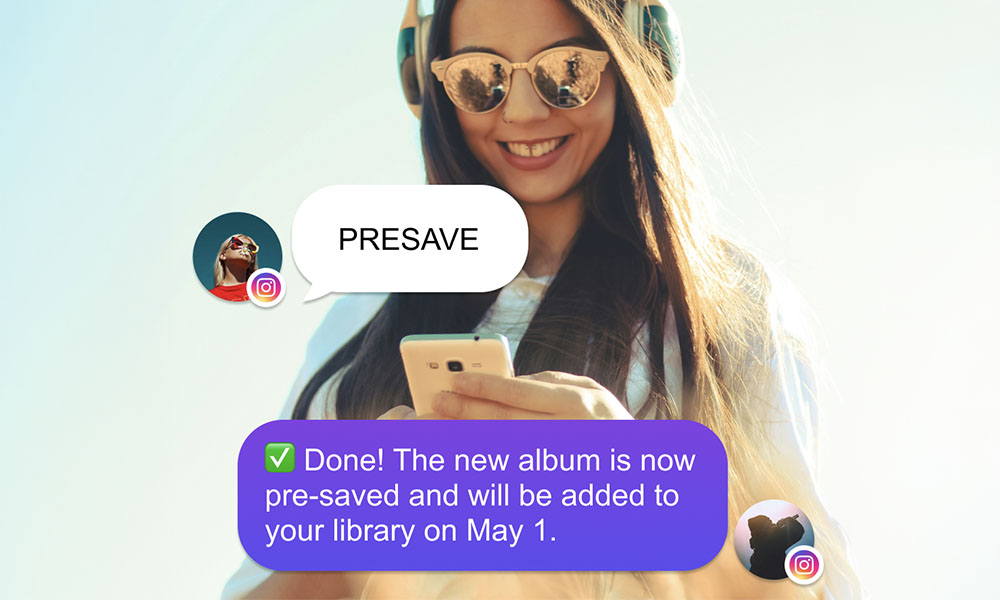
If a fan comments "LINK" and never replies to your DM, the private reply is the whole conversation. Include the pre-save or streaming link, the release date, and anything else the fan needs in that one message. Don't hold the link back for a second message that may never be allowed. Most comment-to-DM tools let you write this message once and send it to every commenter. In Sonikit, a fan-marketing platform for artists and labels, an Action Flow can start when a fan comments on Instagram and send that Instagram DM as one of its steps.
2. End the private reply with one easy question
A short question such as "Want the video before anyone else? Reply YES" gives fans a reason to write back, and their reply is what opens the 24-hour window. Keep it to one question with an obvious answer. A question that takes effort to answer gets fewer replies.
3. Send follow-ups inside 24 hours of the fan's last message
Once a fan replies, anything else you want to send has to go out within the next 24 hours. A video teaser, a merch link, or a ticket presale code all fit. A follow-up timed for three days later won't go through unless the fan has written again since, so build follow-ups around the fan's reply rather than around fixed dates on your calendar.
4. Don't count on a release-day DM to fans from last week
Every fan's window closes on its own schedule. A fan who commented on your announcement eight days before release can't receive a private reply anymore, and a fan who last messaged you on Tuesday can't receive a standard message on Friday. Plan the release-day reminder for channels that don't expire: a new post that invites fresh comments, your email list, or your text list.
5. Move engaged fans to a channel you can reach later
The DM conversation is the best moment to ask for an email address or a phone number, because the fan is already paying attention. This guide to growing an SMS list from Instagram DMs covers how to ask. Texting fans comes with its own consent rules, so read how to collect fan phone numbers legally before you start, and confirm the specifics with your SMS provider or a lawyer.
6. Treat Lives and ads differently from posts
Comments on a Live can only get a private reply while the broadcast is running. Meta's documentation says that once the broadcast ends, private replies can no longer be sent, so set your reply up before you go live. Click-to-Direct ads work the other way: a fan who messages you from the ad keeps the conversation open for up to 7 days, which leaves room for a slower sequence than an organic post allows.
What this looks like for a Friday single release
Say you post the announcement for a Friday single on Monday at 6 p.m. and ask fans to comment "EARLY" to get the pre-save link.
- Tuesday, 10 a.m.: a fan comments. Your private reply can go out any time until the following Tuesday at 10 a.m., and your tool sends it within a minute, with the link and the question "Want the video first? Reply YES."
- Wednesday, 9 p.m.: the fan replies YES. You now have until Thursday at 9 p.m. to send standard messages, so the video teaser goes out on Thursday afternoon.
- Friday, 9 a.m.: release day. The fan hasn't written since Wednesday, so a release-day DM won't go through. They hear about the release from your new post, or by text if they opted in during Wednesday's conversation.
Now picture 400 commenters, each on a different clock. That's why the steps above put the link in the first message and treat DMs as the start of a relationship rather than a broadcast channel.
What to do before your next announcement
- Write the private reply first. Include the link, the release date, and one easy question.
- Check what your DM tool supports. Confirm it can send private replies on every surface you plan to use: posts, reels, stories, and Lives.
- Time follow-ups from the fan's reply. Schedule them to send within 24 hours of the fan's latest message, not on fixed dates.
- Offer an email or SMS opt-in inside the conversation. Fans who reply are the ones most likely to say yes.
- Plan release-day reminders on channels that don't expire. Use a new post, your email list, or your text list.
For message ideas that fit inside these windows, see how other artists announce a new album with Instagram comment automation.