Introducing Campaign Inbox: View & Reply to Fan SMS Messages in Sonikit
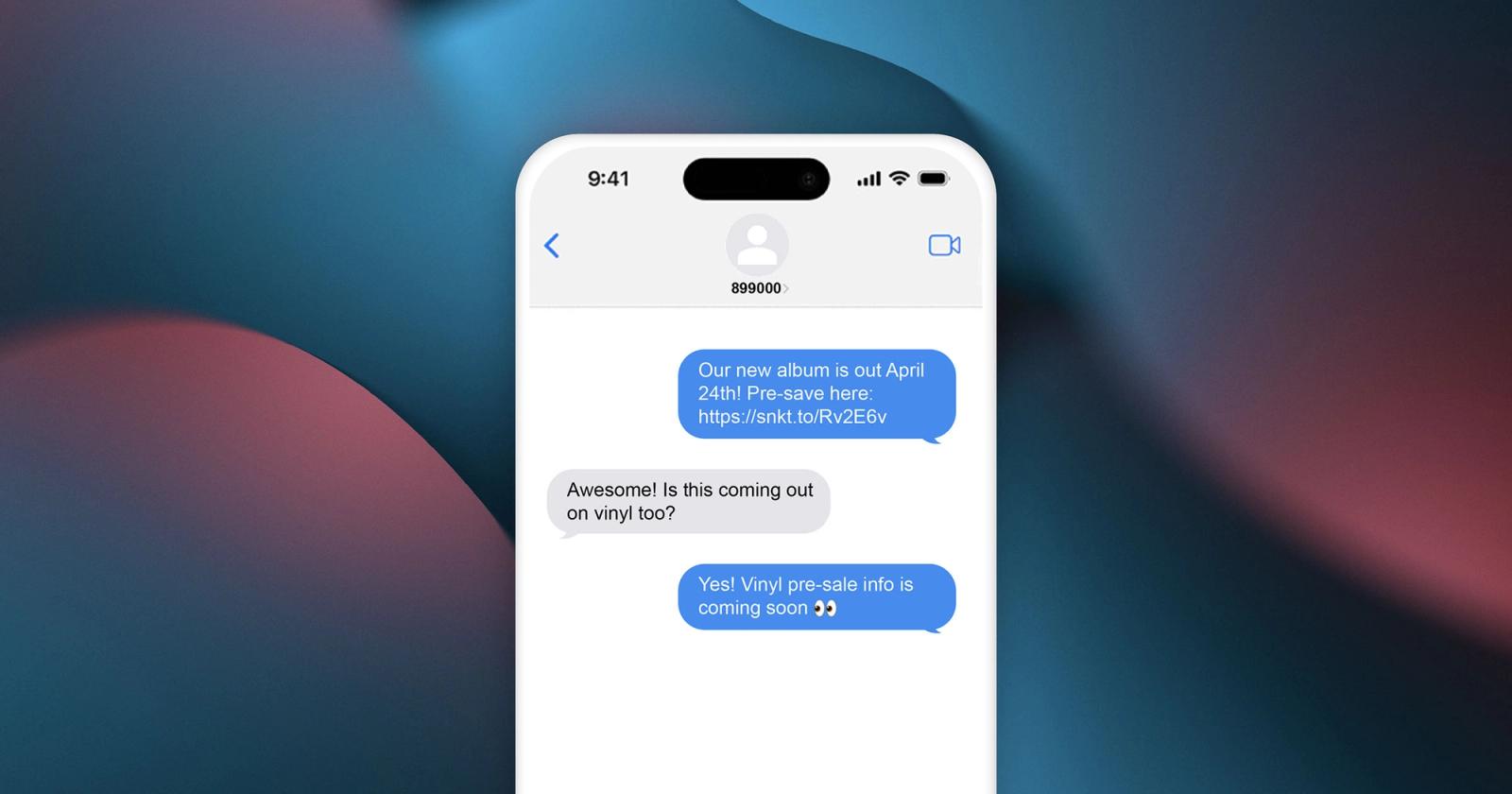
Direct communication has always been one of the most powerful ways for artists to build real relationships with their fans. Today, we’re excited to introduce Campaign Inbox, a new Sonikit feature that gives you visibility into inbound SMS replies from fans, plus and the ability to respond all in one place.
Campaign Inbox turns one‑way SMS campaigns into two‑way moments, without turning Sonikit into a live chat tool or chatbot. It’s designed to help you understand fan engagement, acknowledge responses, and follow up when it matters most.
What Is Campaign Inbox?
Campaign Inbox is a new view within Sonikit that shows inbound SMS replies from fans who respond to your SMS campaigns. Instead of replies disappearing into the void, they now live directly inside the campaign they came from.
From the Campaign Inbox, you can:
- See which fans replied to a specific SMS campaign
- Read individual responses in context
- Reply back directly to a fan
- Keep conversations lightweight, intentional, and personal
This feature is built for campaign‑based engagement, not real‑time chat. Think of it as a way to listen and respond, not to run customer support or automate conversations.
Why Inbound SMS Replies Matter
SMS is one of the highest‑engagement channels artists have. Until now, that engagement was mostly measured through clicks and opt‑ins. Campaign Inbox adds an important missing layer: fan voice.
With inbound replies, you can:
- Understand how fans are reacting to announcements
- Catch genuine feedback after a release, merch drop, or tour announcement
- Reply personally to questions or standout messages
- Build stronger fan relationships without extra tools
Even a simple response like “Thanks for listening” or “See you at the show” can go a long way.
How Campaign Inbox Works
Campaign Inbox is automatically available to users on Pro and Enterprise plans. There’s nothing to enable or configure. If you’re on an eligible plan, it’s already live in your dashboard.
To view and reply to fan messages:
- Click Messaging in the left‑side menu of your Sonikit dashboard
- Navigate to the Sent Campaigns tab
- Select a previously sent SMS campaign
- View campaign analytics along with a list of inbound replies (if any)
- Click a reply to open the conversation and respond
Replies stay organized by campaign, so you always know why a fan is reaching out.
Built for Artists
Campaign Inbox is intentionally simple.
- No automation
- No bots
- No real‑time chat pressure
It’s about thoughtful engagement, not constant conversation. You decide when and how to respond, keeping communication human and manageable.
Who Has Access?
Campaign Inbox is available on:
- ✅ Pro plans
- ✅ Enterprise plans
If you’re already on an eligible plan, you don’t need to upgrade or activate anything. Just head to Messaging and start exploring your replies. For users on the Basic plan, you can upgrade any time to instantly activate Campaign Inbox.
Start Listening (and Responding)
SMS has always been a powerful way to reach fans. With Campaign Inbox, it’s now a way to listen, too.
We’re excited to see how artists use inbound replies to build stronger connections, learn from their audience, and create more meaningful moments around releases, merch, and tours.
Log into Sonikit and check out Campaign Inbox today.

Keep reading
All posts
Can Artists See Who Follows Them on Spotify? What Follow Data You Actually Get

Instagram DM Automation Not Working? Check Whether Meta Business AI Owns the Conversation