Why Most "Follow" Buttons Are Just Links to Spotify (And What That Costs You)
Most music marketing tools that advertise a "Follow" button handle it in one of two ways. Some don't offer a follow action at all: you get a pre-save for an upcoming release and a list of streaming links. Others show a button labeled Follow that simply links to your artist profile on Spotify, where the fan has to find and tap Spotify's own Follow button to finish the job.
Either way, the button on your page doesn't follow anyone. It's a link with a different label. This post makes the case that where the follow happens matters, because every extra screen between a fan's tap and a completed follow costs you followers, and followers are what carry your future releases on Spotify. If you're still weighing whether follow buttons belong on your page at all, start with why follow and save buttons do more than plain links.
Followers are how your next release finds people
On Spotify, a follow does real work. Spotify's documentation confirms that your followers get songs from your new release in their Release Radar, the personalized playlist of new music that updates every Friday. A fan who follows you today is a fan whose Release Radar can include your next single, and the one after that, without you running another campaign.
That's why a follow is worth more than a single stream. A stream helps one release. A follow keeps putting future releases in front of that fan on the platform, long after the campaign that earned it has ended.
What happens when a fan taps a link-out Follow button
Picture a fan on your release page, on their phone, tapping Follow. With a link-out button, this is what they have to do next:
- Leave your page. The tap opens the Spotify app or a new browser tab, depending on their device.
- Get past whatever screen appears. If the app isn't installed, or they aren't logged in on the web, that can mean a login screen before anything else.
- Find the Follow button again. They land on your artist profile and have to spot and tap Spotify's own Follow button.
- Stay in Spotify. Once they've followed, they're inside an app built to keep them listening, and your page with your merch, tour dates, and sign-up form is behind them. Nothing brings them back to it.
Each of those is a point where a fan who meant to follow you doesn't. Nothing about the button was broken. It just asked for more than one tap.
Why most tools link out instead
Spotify used to offer its own embeddable Follow Button, then shut it down on December 15, 2021. Its suggested replacements were to link directly to the artist page, or to build the follow yourself with Spotify's Web API. That's why the word Follow on a button so often just means "open Spotify."
The math on extra steps: an illustration
The numbers below are made up to show the arithmetic. They aren't measured Sonikit data or a promised result. Say 1,000 fans tap Follow on your release page during a campaign, and assume each extra step after that first tap loses 10% of the fans still going.
| Button | Steps after the first tap | Followers from 1,000 taps (10% loss per step, illustrative) |
|---|---|---|
| Link-out button | 2 (open Spotify, tap Follow again) | 810 |
| On-page button, fan connecting for the first time | 1 (approve access once) | 900 |
| On-page button, fan already connected | 0 | 1,000 |
Even if every fan is connecting for the first time, the on-page button ends at 900 followers and the link-out button at 810: about 90 more followers from the same 1,000 taps, before counting anyone who hits a login screen along the way. The real loss per step will vary by audience and device. The direction holds either way: fewer steps between the tap and the follow leave fewer places to lose someone.
Why the plain artist link case falls short for follows
A lot of landing page traffic isn't that fan. It's someone who tapped through from a social post, often in a phone browser, who now has to leave your page, get into Spotify, and find a second button. The permission step on an on-page follow happens once. The extra steps on a link-out button happen every time.
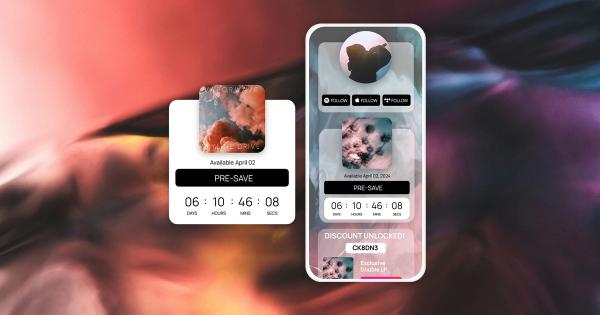
A follow that completes on your page can also do more than one thing. In Sonikit, an Action Flow can use that follow as a trigger to save your latest single automatically, and a follow can give fans access to a reward like a merch discount code or a private video. None of that can happen when the follow takes place in another app.
Where Sonikit fits
Sonikit is one of the few music marketing platforms where the Follow button on a landing page or embed actually completes the follow right there. The fan taps Follow and they're following you, without finding your profile and tapping a second button in another app. Fans connecting their streaming account for the first time approve access once. After that, a tap is all it takes. Sonikit's follow and save buttons work for artist profiles as well as tracks, albums, and playlists, and they can sit on a Sonikit landing page or on your own website.
Before your next release
Open your release page on your phone and tap your own Follow button. If it opens Spotify and leaves you looking for another Follow button, it's a link, and every fan who taps it has the same extra steps ahead of them. Swap it for a button that completes the follow on the page, then make the follow the primary action on your landing page so it's the first thing fans see.