ISRC vs UPC: Which Code Your Pre-Save or Smart Link Actually Uses
A UPC identifies a release: the single, EP or album as a product. An ISRC identifies one recording: a specific track. Streaming services and link tools use the UPC to find a whole release and the ISRC to find a single song, so the code you give a pre-save or smart link decides whether fans land on the full album or one track.
The difference matters most when the same song shows up in more than one place, which happens on almost every modern rollout. Your distributor usually issues both codes, as covered in how music distribution works, but the rules for when each code stays the same and when it changes come from the standards behind them.
ISRC vs UPC at a glance
| ISRC | UPC | |
|---|---|---|
| Identifies | One sound or music video recording | One product (a single, EP or album release) |
| Format | 12 characters: country code, registrant code, year, designation code | A numeric barcode (typically 12 digits) |
| Stays the same when | The identical recording appears on a new release, or the recording is remastered | Never reused for a different release |
| Changes when | The recording is remixed, edited, or its length changes by more than 10 seconds | You put out a new product, even with the same songs |
| Spotify Web API search | Filter applies to tracks | Filter applies to albums |
| Apple Music API | Songs can be looked up by ISRC | Stored as an album attribute |
How an ISRC is built and what it identifies
An ISRC is a 12-character code made of four parts. The IFPI's ISRC code syntax defines them as a two-character country code, a three-character registrant code, the last two digits of the year the code was assigned, and a five-digit designation code. A code like US-ABC-26-00042 reads as recording 00042 from a US registrant, coded in 2026.
The code identifies the recording itself, not the release it sits on, its owner or its distributor. The US ISRC Agency's guidance puts it plainly: "Recordings that are identical shall be identified by the same ISRC," and once assigned, the ISRC "should remain the same for the lifespan of the track."
When a song keeps its ISRC and when it gets a new one
The ISRC follows the audio, so the question is always whether the recording changed. The US ISRC Agency sets out these cases:
- Same recording on a new release: keeps its ISRC. Your single and the album version are the same code if the audio is identical.
- Remaster: generally keeps its ISRC, because it is fundamentally the same recording.
- Remix, radio edit or other edit: needs a new ISRC.
- Running time changes by more than 10 seconds: needs a new ISRC.
- Music video: gets its own ISRC, separate from the audio.
- Old codes: an ISRC is never reused for a different recording.
A UPC works the other way. Every new product gets its own UPC, so a single, a deluxe edition and the standard album each have different barcodes even when they share tracks.
How streaming services use each code
Streaming services' developer tools split the two codes the same way. In the Spotify Web API search reference, "The isrc and track filters can be used while searching tracks," while "The upc, tag:new and tag:hipster filters can only be used while searching albums." Each track also carries its ISRC as an external ID.
Apple Music follows the same pattern. Its API lets developers fetch songs by ISRC, and album records carry a UPC attribute. Apple's own example response shows one ISRC matching four different song entries in the catalog, which is what happens when one recording appears on several releases.
That one-to-many match is the practical catch. A tool that finds a song by its ISRC can find more than one catalog entry, and which one the fan gets depends on how that tool picks between them. A tool that finds a release by its UPC lands on exactly one product.
What this looks like for a single that later joins an album
Say you release a focus single, "Glass," on February 6 with its own UPC and an ISRC. On May 15 the album comes out with a new UPC, 10 tracks, and "Glass" on it as the identical recording, so it keeps the same ISRC.
- A pre-save for the album, keyed to the album's UPC: points at the May 15 release and covers all 10 tracks.
- A save link for "Glass," keyed to the ISRC, used in April: the recording already exists on the February single, so the link can only reach the single version until the album is out.
- The same ISRC link after May 15: now matches two catalog entries, the single and the album track. Which one a fan saves depends on how the tool resolves it.
- A radio edit of "Glass" for a playlist push: has a different ISRC, so a link built on the original code won't reach it.
If your campaign goal is album saves on release day, build on the UPC. If the goal is one song in fans' libraries right now, build on the ISRC, knowing it follows the recording across releases. The difference between a pre-save and a smart link shapes which of the two you need.
Where to find your codes and what to check
Both codes usually come from your distributor and are shown on the release in your dashboard once the release is submitted. Before you build a pre-save, a smart link or an embed, run through these checks:
- Copy the UPC for the exact release you are promoting, not an earlier single or a deluxe version.
- Decide whether the campaign targets the whole release or one track, and use the UPC or the ISRC to match.
- When a single moves onto an album, enter its existing ISRC rather than letting a new one be generated, so the album track is identified as the same recording.
- Give any edit, remix or extended version its own ISRC, and check that your links point at the version you mean.
- After release, open each link on at least two services to confirm it reaches the right release.
If you are building your first campaign around these codes, the difference between pre-save links and embeddable pre-saves is the next decision, and Spotify's Artist Profile Protection is worth checking before the release goes live.

Keep reading
All posts
Pre-Save vs Smart Link: What’s the Difference? (And Which Actually Grows Your Audience)
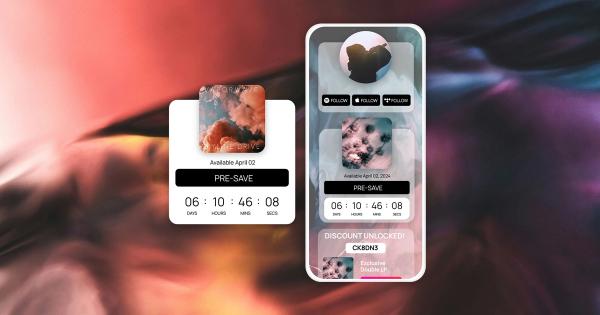
Pre-Save Links vs. Embeddable Pre-Saves: What’s the Difference (and Which Should You Use)?